SCHEDULE A CALL


What happens when a business has hundreds of customers, dozens of sales opportunities, and a growing number of support requests, but no clear way to manage them all?
Customer information becomes scattered across spreadsheets, emails, phone calls, and separate software platforms. Sales teams may miss important follow-ups, customer support representatives may lack the right information, and business leaders may struggle to understand what customers actually need.
This is where Customer Relationship Management (CRM) technology becomes valuable. One of the best-known platforms in this space is Salesforce, which helps businesses organize customer information, manage sales activities, improve service, and coordinate communication across departments.
For businesses in the United States and other international markets, customer relationships are not just about making a sale. They involve building trust, delivering consistent experiences, and understanding customer needs over time.
So, how does Salesforce help businesses manage customer relationships, and what should companies understand before adopting it? Let's explore its main features, practical benefits, limitations, and role in modern business technology.
What Is Salesforce and How Does It Work?
Salesforce is a cloud-based customer relationship management platform that helps organizations manage interactions with customers and potential buyers. Instead of keeping customer records in separate systems, businesses can use CRM tools to bring relevant information into a more organized environment.
Depending on the products and features a business uses, Salesforce can support sales management, customer service, marketing, reporting, automation, and data analysis.
For example, imagine a US-based software company receiving inquiries through its website, email, social media, and sales representatives. Without a central system, different employees may have incomplete records of the same customer.
With a properly configured CRM, the company can maintain a clearer record of customer interactions, track sales opportunities, and help employees understand the next steps.
Why Businesses Use CRM Software
Businesses commonly use CRM systems to:
Store and organize customer information.
Track leads and sales opportunities.
Schedule follow-ups and manage communication.
Record customer questions and service requests.
Monitor sales performance through reports and dashboards.
Coordinate activities between sales, marketing, and support teams.
The main purpose is to help employees spend less time searching for information and more time solving customer problems.
What Does the Research Say About Customer Relationships?
Customer expectations help explain why CRM technology has become an important part of business operations.
Salesforce's State of the AI-Connected Customer research, seventh edition, surveyed 15,015 consumers and 1,570 business buyers across 18 countries and six continents. The report highlights a growing need for personalized experiences alongside stronger expectations around data privacy.
Here are three findings worth considering:
73% of customers said companies treated them as unique individuals in 2024, compared with 39% in 2023.
71% of customers said they were increasingly protective of their personal information.
61% of customers believed advances in AI made it more important for companies to be trustworthy.
These figures show that customer relationship management involves more than collecting contact details. Businesses must use customer information responsibly and provide interactions that feel relevant and trustworthy.
The findings are based on a worldwide survey, not a US-only sample. However, they offer useful context for American businesses competing in markets where customers expect convenience, personalization, and transparency.
How Salesforce Helps Businesses Manage Customer Relationships
1. Centralizes Customer Information
One of the biggest challenges in growing businesses is keeping customer information accurate and accessible.
Salesforce can help create a shared view of customer records, including contact details, previous interactions, sales activities, and relevant service information.
When employees can access the information they need, they are less likely to ask customers to repeat the same details or overlook important conversations.
For example, if a customer contacts a software company about an existing project, a support representative can review the available interaction history before responding. This creates a more informed and consistent experience.
However, the quality of this information depends on accurate data entry, appropriate system integration, and clear internal processes.
2. Improves Lead and Sales Management
Finding potential customers is only one part of the sales process. Businesses also need to qualify leads, track conversations, schedule follow-ups, and understand which opportunities are most likely to progress.
Salesforce provides tools that help sales teams organize these activities through lead records, opportunity tracking, task management, and pipeline views.
A sales manager can review which opportunities are progressing, where deals are getting delayed, and which prospects need attention.
This visibility helps teams prioritize their work instead of relying entirely on memory or scattered spreadsheets.
For software companies serving customers in different US states or international markets, a well-organized sales pipeline can also make it easier to coordinate follow-ups across teams and time zones.
3. Supports More Personalized Customer Experiences
Customers do not want to feel like just another record in a database. They expect businesses to understand their needs, previous questions, and preferences where relevant.
Salesforce can help businesses use customer information to make communication more relevant. For instance, a company may segment customers according to their interests, previous purchases, service history, or stage in the buying process.
Marketing teams can then tailor messages, while sales representatives can prepare conversations around the customer's actual requirements.
Personalization should still respect customer consent and privacy. Collecting more information does not automatically create a better experience. The goal is to use relevant information in a way that genuinely benefits the customer.
4. Connects Sales and Customer Support
A disconnected customer experience often occurs when departments operate independently.
A sales representative may promise a particular service, while the support team has no record of the discussion. Customers then have to explain their situation again, creating frustration for everyone involved.
A shared CRM environment can improve coordination by making relevant customer information available to authorized teams.
For example, if an existing customer reports a technical issue, the support team may be able to review the account history and previous requests before responding. Sales staff can also gain useful context when discussing renewals or additional services.
The exact level of coordination depends on which Salesforce products are implemented and how the business configures access and integrations.
5. Automates Routine Business Tasks
Manual work can consume a significant amount of time in sales and customer service.
Salesforce supports workflow automation that can help businesses assign leads, create reminders, update records, and trigger actions when defined conditions are met.
Consider a company that receives website inquiries every day. A configured workflow could assign incoming leads to the appropriate sales representative and create a follow-up task.
This reduces the risk of inquiries being overlooked and allows employees to concentrate on meaningful conversations.
Automation still requires proper planning. Poorly designed workflows can send irrelevant notifications, assign records incorrectly, or create unnecessary work. Businesses should review their processes before automating them.
6. Provides Reports for Better Decisions
Business leaders need reliable information to understand whether their customer relationship strategies are working.
Salesforce reporting and dashboard features can help teams monitor indicators such as lead conversion, sales pipeline value, customer service activity, and response times, depending on the configuration.
These reports help managers identify patterns and investigate possible problems.
For example, if many sales opportunities stall at the same stage, a manager can examine whether prospects need clearer information, faster responses, or a different sales approach.
Reports should support decision-making rather than replace it. Data needs context, and business leaders should avoid treating every metric as a complete picture of customer satisfaction.
Can Salesforce Use AI to Improve Customer Management?
Artificial intelligence is expanding the possibilities of CRM software. Salesforce offers AI-related capabilities that can assist with tasks such as summarizing information, generating suggested responses, supporting sales workflows, and helping service teams find relevant context.
Depending on the products, configuration, and permissions involved, AI features may help employees reduce repetitive work and respond more efficiently.
However, AI-generated recommendations are not automatically correct. Businesses need suitable data, clear permissions, security controls, and human review for important decisions.
Customer information also requires careful handling. Organizations should understand how their chosen features process data and ensure their implementation meets applicable privacy and regulatory requirements.
The most useful approach is to apply AI to specific business problems rather than adopt it simply because it is available.
Is Salesforce Suitable for Every Business?
Salesforce can support businesses of different sizes, but it is not automatically the best choice for every organization.
A growing company with several sales representatives, multiple customer communication channels, and complex reporting needs may benefit from a comprehensive CRM platform.
A small business with a simple sales process may find a less complex CRM more practical.
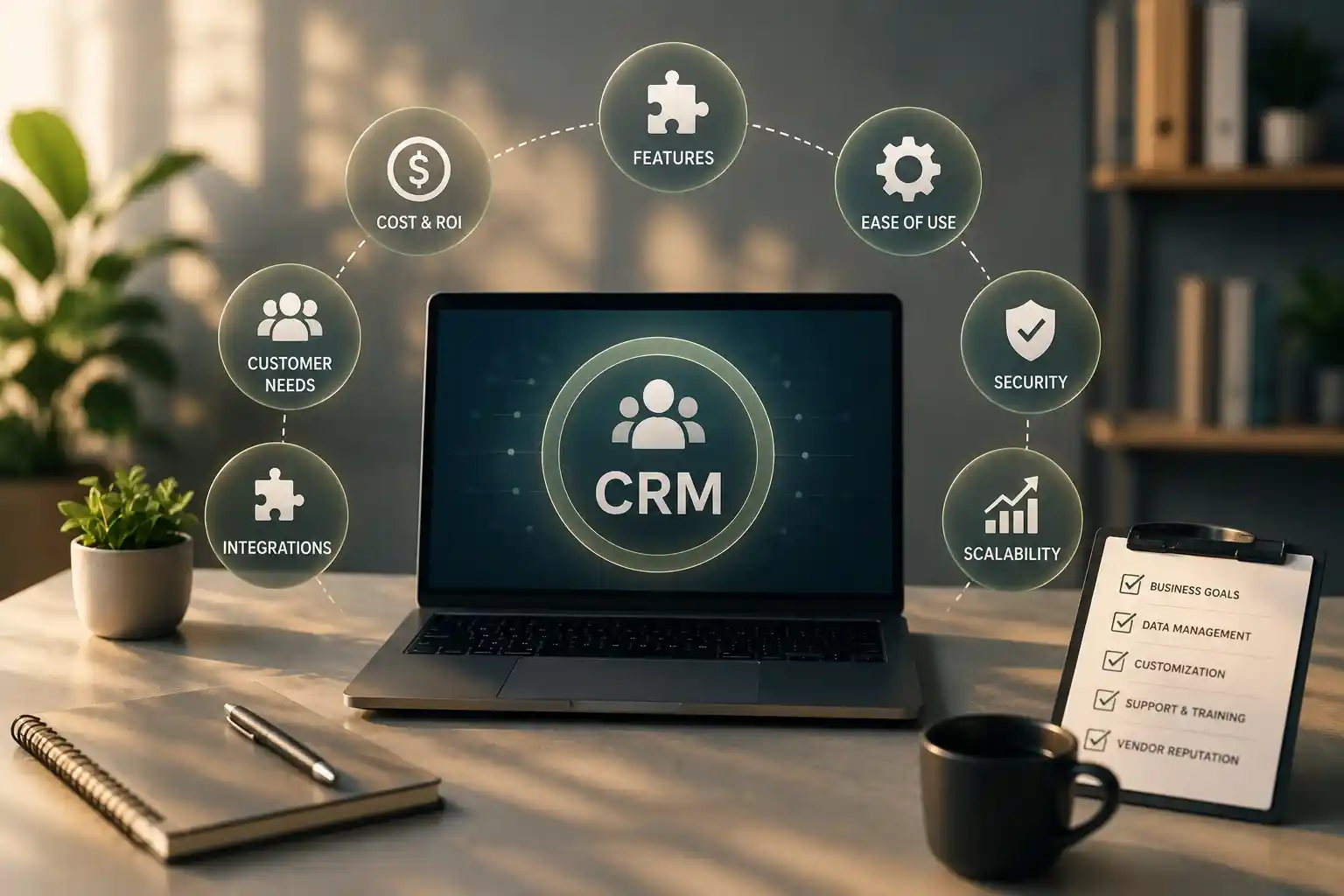
Before choosing Salesforce, decision-makers should evaluate:
Business requirements: Which customer management problems need to be solved?
Total cost: What will licenses, implementation, integrations, training, and maintenance cost?
Ease of use: Can employees use the system without unnecessary complexity?
Integration: Will it work with existing websites, accounting tools, and business applications?
Data security: Can access controls and data-handling practices meet the company's requirements?
Scalability: Can the solution support expected business growth?
A CRM should simplify the way a business works. If implementation introduces unnecessary complexity, employees may avoid using it, reducing its value.
Best Practices for Getting More Value From Salesforce
Successful CRM implementation starts with understanding the business, not simply installing software.
Define Clear Goals
Decide what success means before configuring the system. Goals might include reducing missed follow-ups, improving lead visibility, shortening response times, or giving service teams better customer context.
Clean Existing Customer Data
Review duplicate records, outdated contact details, and inconsistent fields before migrating information. Poor-quality data can undermine even a well-designed CRM.
Train Employees Properly
Employees should understand how the system supports their daily work. Practical training and clear internal guidelines encourage consistent use.
Review Performance Regularly
Measure whether the CRM is improving the intended business outcomes. Gather employee feedback and make adjustments when workflows create friction.
Protect Customer Privacy
Use appropriate access controls, retain only necessary information, and follow applicable privacy requirements. Customer trust depends on how responsibly information is handled.
Conclusion
Salesforce helps businesses manage customer relationships by bringing information together, organizing sales opportunities, coordinating customer service, automating routine tasks, and supporting data-informed decisions.
For software companies, IT service providers, startups, and established organizations in the United States and international markets, these capabilities can make customer management more consistent as operations grow.
However, successful CRM adoption depends on more than the platform itself. Businesses need clear goals, reliable data, thoughtful implementation, employee training, and responsible information management.
The central lesson is simple: good CRM technology does not replace strong customer relationships. It helps businesses build and maintain them more effectively.
When companies choose tools that fit their actual needs and use customer information responsibly, technology becomes a practical foundation for better service, stronger trust, and long-term business growth.